
RTX, Hz and ping: how to read a gaming café's PC specs
By Aamir Khan ·
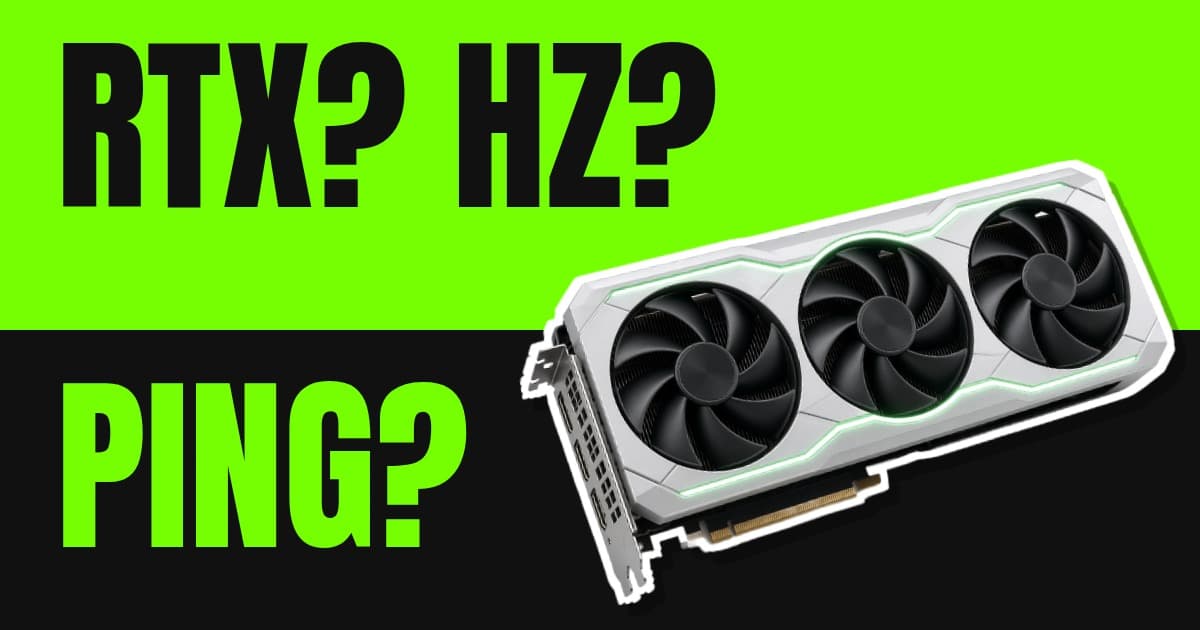
What RTX numbers, refresh rates, latency and ping actually mean when you choose a gaming café, with real Mumbai café setups and official game requirements.
Gaming café posters love numbers. "RTX 4070! 240Hz! 1ms!" Instagram reels show glowing rigs with spec sheets in the caption. But what do these numbers actually mean when you're picking where to spend ₹80 an hour? And which ones matter for the games you play?
This is a plain-English guide to reading a café's PC specs. We'll use real setups that Mumbai and Navi Mumbai cafés publish, and the official requirements for popular games, so you can tell when a spec matters and when it's just marketing. Café details were checked on 31 October 2026.
The short version
If you only remember three things:
- For Valorant, CS2 and other esports games, the monitor's refresh rate (Hz) matters more than the graphics card. Almost any modern café PC can run these games fast. The question is whether the monitor can show all those frames.
- For big single-player games like GTA V, Cyberpunk or Black Myth: Wukong, the graphics card (GPU) matters most.
- Ask which seat you're getting. Many cafés have a mix of setups, and the spec on the poster may only apply to the best seats.
The graphics card: what "RTX 4060" means
The graphics card (GPU) draws every frame you see. Most gaming cafés use NVIDIA GeForce RTX cards, and the name follows a simple pattern:
- The first two digits are the generation. RTX 30 series is older, RTX 40 is the previous generation, RTX 50 is the newest.
- The last two digits are the tier. A 60 is mid-range, a 70 is upper mid-range, an 80 or 90 is high-end.
- "Ti" means a slightly faster version of the same tier.
So an RTX 5060 Ti is a new-generation, mid-range card with a small boost. An RTX 3060 is two generations older, at the same tier. This is a rule of thumb rather than an exact ranking, but it'll get you most of the way.
Here's what some cafés publish:
| Café | Graphics card | Monitor | Source |
|---|---|---|---|
| Monarch Gaming Lounge, Malad West | RTX 5060 Ti | 300Hz | Café website |
| Nexus Gaming Cafe, Ulwe | RTX 5060 Ti | Not stated | Café website |
| NexArc Gaming Cafe, Goregaon West | RTX 5060 | Not stated | Café website |
| Vertigo Gaming Arena, Kharghar and Belapur | RTX 4060, 4060 Ti, 4070 (by venue) | 240Hz | Café website |
| HEX Gaming Cafe, Borivali West | RTX 4060 | 240Hz | 2024 customer review |
| Simply Gaming, Kandivali | RTX 3060 | Not stated | Business description |
| Global Gaming Cafe, Vashi | RTX 2060 / 3060 | 244Hz | 2024 customer review |
Specs from reviews are older and may have changed, so ask the café.
Do you need a top graphics card for Valorant?
No. Riot's own VALORANT specs say that for 144+ FPS, its "high-end" tier, you need roughly an NVIDIA GTX 1050 Ti and an Intel i5-9400F or AMD Ryzen 5 2600X. Every card in the table above is far newer than a GTX 1050 Ti. For Valorant, any of these cafés will give you more frames than most monitors can show.
Counter-Strike 2 asks for more than Valorant at the minimum level. Its Steam page lists 8 GB of RAM, a 4-thread CPU (Intel Core i5-750 or newer), a DirectX 11 graphics card with at least 1 GB of video memory, and 85 GB of storage. Again, any modern café PC clears that comfortably.
When the graphics card does matter
Big, good-looking games are a different story. Open-world and story games push the GPU hard, especially with high settings or ray tracing. If you're going to a café specifically to play a graphically demanding new release on PC, an RTX 40 or 50 series card makes a real difference.
Refresh rate (Hz) and FPS: the numbers that matter for esports
These two get mixed up a lot.
- FPS (frames per second) is how many frames the PC produces.
- Hz (refresh rate) is how many frames per second the monitor can display.
If the PC makes 400 FPS but the monitor is 144Hz, you only see 144 updates a second. That's why esports cafés advertise their monitors.
NVIDIA explains why it matters: at 240 FPS on a 240Hz monitor, you get four times as many frames as at 60, so motion looks smoother, enemies appear sooner and tracking a moving target is easier. Its research also found that a lot of the benefit comes from lower latency, not just smoother pictures.
What the numbers mean in practice:
- 60Hz: Fine for FIFA, GTA or story games. Not ideal for competitive shooters.
- 144Hz: The baseline for competitive PC gaming. A big jump from 60.
- 240Hz to 300Hz: What serious Valorant and CS2 players look for. Monarch lists 300Hz. Vertigo and, per a 2024 review, HEX list 240Hz.
- Higher than that: Diminishing returns for most players.
Tip: The monitor needs to actually be set to its top refresh rate in Windows. If a "240Hz" seat feels sluggish, ask the staff to check the display settings.
Latency, "ms" and ping
You'll see "ms" (milliseconds) in two places, and they mean different things.
1. System latency. This is the delay between clicking your mouse and seeing the result on screen. NVIDIA defines PC latency as the time inside the computer from your input to the frame being displayed: the CPU processing the game, the GPU rendering the frame, and the frame being sent to the display. Features like NVIDIA Reflex aim to reduce this by keeping the CPU and GPU in sync so frames don't queue up. If a game offers Reflex, turn it on.
2. Ping (network latency). This is how long data takes to travel between your PC and the game server. It depends on the café's internet connection and how far away the server is, not on the PC. A powerful PC can't fix a bad connection. If ranked matters to you, ask the café what internet connection it has, or test your ping in-game during your first few minutes.
Monitor "1ms" claims usually refer to the panel's response time, which is different again. It's worth having, but it's the least important of the three.
DLSS and frame generation
On RTX cards, you'll see settings like DLSS in many big games. NVIDIA's DLSS uses AI to render at a lower resolution and upscale the picture, which raises FPS. Frame generation goes further and inserts AI-generated frames between rendered ones. NVIDIA says DLSS 4's Multi Frame Generation, which creates several frames per rendered frame, needs an RTX 50 series card.
For story games, this can make a mid-range card feel much faster. For competitive shooters, most players prefer real frames and low latency, so they leave frame generation off.
CPU and RAM: the quiet half
The processor (CPU) matters more than people think in esports games, because very high frame rates depend on it. RAM matters too: CS2 lists 8 GB as its minimum, and most gaming PCs today have 16 GB or more. Cafés rarely advertise these, so if you're serious, just ask: "Which processor, and how much RAM?"
Peripherals: what your hands and ears touch
Specs aren't only inside the box. For a good session, check:
- Mouse: A light, responsive gaming mouse with a clean mouse pad.
- Keyboard: Mechanical keyboards are common at esports cafés. Krypt Gaming in Kharghar, for example, lists them on its site.
- Headset: For Valorant and CS2, being able to hear footsteps clearly is a big deal.
- Chair and desk height: Pebyl in Borivali and Exogos in Vikhroli both list gaming chairs. After two hours, this matters more than the GPU.
Many cafés let you bring your own mouse or headset. Ask first.
Questions to ask before you pay
- "Which graphics card and monitor does this seat have?"
- "Is the monitor set to its full refresh rate?"
- "Can I log in to my own Steam, Riot or Epic account?" (Monarch and NexArc both say you can.)
- "Is my game installed and updated?"
- "Can I use my own mouse or headset?"
Matching specs to your game
| What you play | What to look for | Don't overpay for |
|---|---|---|
| Valorant, CS2, Dota 2 | 144Hz or higher, ideally 240Hz | A top-end GPU |
| Fortnite, Apex Legends | 144Hz+, a recent mid-range card | 4K |
| GTA V, Cyberpunk, Black Myth: Wukong | RTX 40 or 50 series | 300Hz |
| Casual or story games | Comfortable seat, good screen | High refresh rate |
If you mostly play FIFA or co-op games, you probably don't need a PC café at all. A PS5 lounge may suit you better. Our price guide compares the two, and our Valorant café guide lists cafés that publish their specs.
FAQ
Is a 240Hz monitor worth it at a café? For competitive shooters like Valorant and CS2, yes. For FIFA or story games, a regular monitor is fine.
Is an RTX 3060 still good for café gaming? For esports titles, yes. It's far above Valorant's high-end requirement. For the newest big releases, an RTX 40 or 50 series card will look and run better.
What's the difference between ping and latency? Ping is the delay between your PC and the game server, and depends on the internet connection. System latency is the delay inside the PC between your click and the screen.
Which Mumbai café has the highest refresh rate? Among the specs we could find, Monarch Gaming Lounge in Malad West lists 300Hz monitors on its PCs.
Sources
- VALORANT: official PC specs
- Riot Games support: VALORANT minimum and recommended specs
- Steam: Counter-Strike 2
- NVIDIA: Why does high FPS matter for esports?
- NVIDIA Research: Esports arms race, latency and refresh rate
- NVIDIA Technical Blog: Understanding and measuring PC latency
- NVIDIA: Reflex SDK
- NVIDIA: DLSS 4 and Multi Frame Generation
- Monarch Gaming Lounge: official site
- Nexus Gaming Cafe: official site
- NexArc Gaming Cafe: official site
- Vertigo Gaming Arena: official site
- HEX Gaming Cafe: Google business listing (Exa place page)
- Simply Gaming Kandivali: business listing on Mumbai96
- Global Gaming Cafe: Google business listing (Exa place page)
- Krypt Gaming: official site
- Pebyl Gaming Cafe: business listing on Mumbai96
- Exogos Gamezone Vikhroli: business listing on Mumbai96